Messages
info
Service-to-Person Messaging:
➞ “Broadcast Messages” are sent on behalf of a service to the “App
Users”.
➞ “Workspace Users” can send or schedule messages to “App
Users” from the “Message” module under “Broadcast”. Messages appear under “Chat”
inside the “SuperApps” from different services.
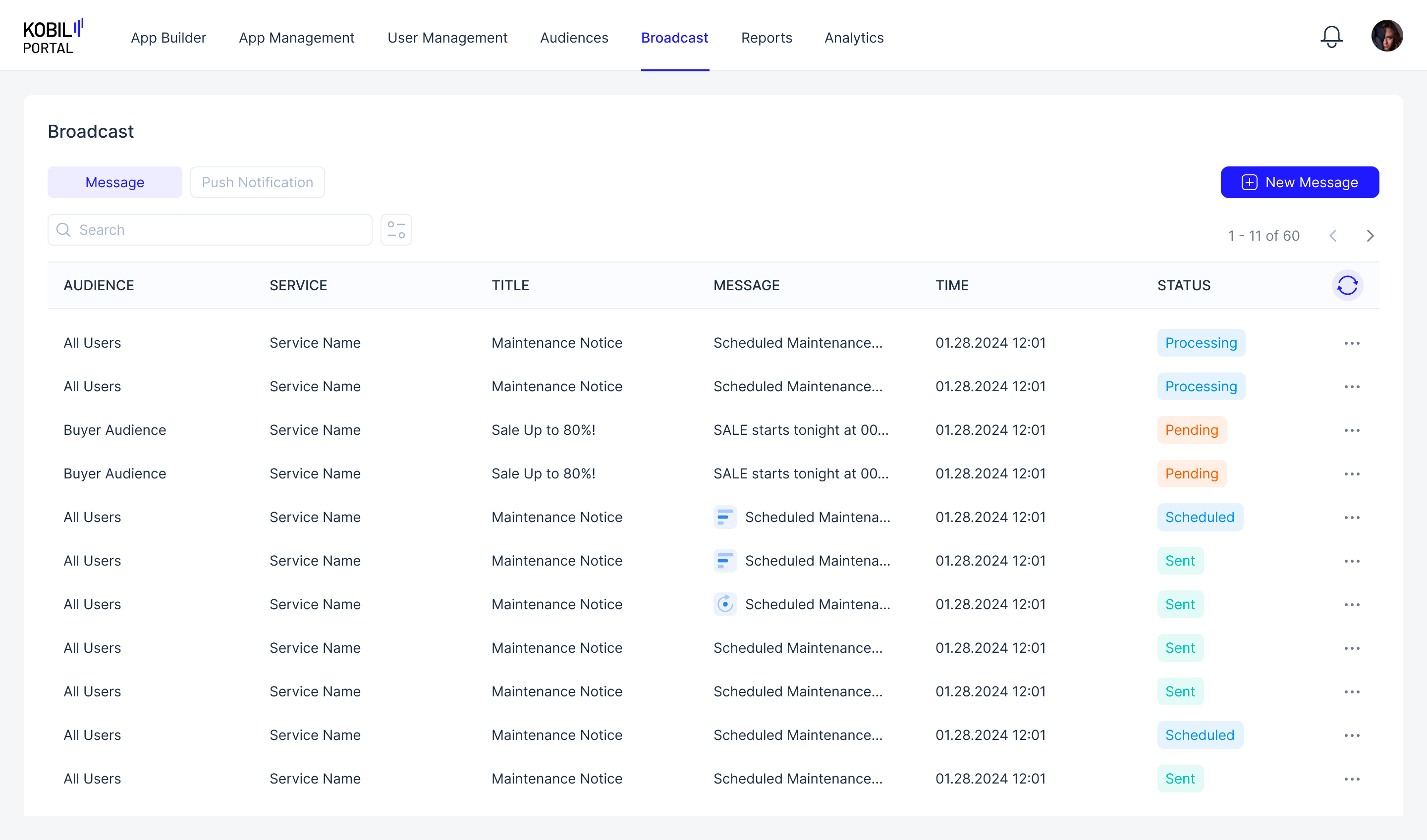
ADDITIONAL OPTIONS
Additional Options (three-dotted button) | Functionality |
| Edit/View | View → If the Message is already Sent, Failed, Partially Failed or Denied. Edit → The Message is scheduled, making edits will makes changes directly to the scheduled Message. ➡️ If “Workspace Member” makes edits, the changes will be needed to be approved again by a “Workspace Owner”. |
| Resend/Reschedule | “Workspace User” can resend old messages, and reschedule message that hasnt been sent yet. |
| Delete | Messages can be deleted: ➡️ If a scheduled Message is deleted before it is sent, the message broadcast is deleted. No message will be sent. ➡️ If an already sent Message is deleted, the message is only deleted from KOBIL Portal, App User will still see the message |
STATUS
| STATUS | Description |
| Scheduled | Message is scheduled to be sent to the App Users |
| Processing | Messages will be sent soon to App User, after processing completes |
| Pending | Workspace Owner has not confirmed the Message request |
| Sent | Message has been sent to the App Users |
| Partially Sent | Due to some issue, only some App Users received the Message |
| Failed | Due to some system issue, no messages were sent |