General Information
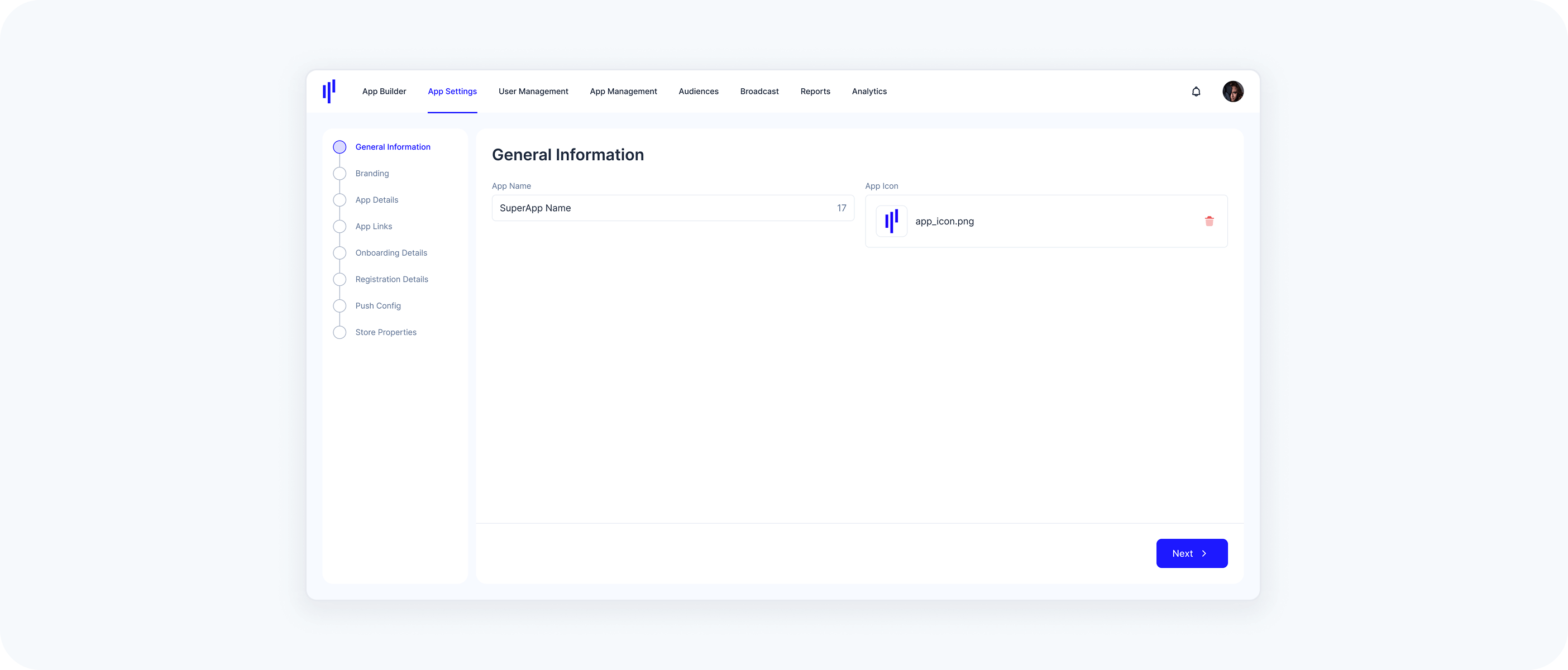
The General Information section is the starting point of your App Settings journey. It plays a crucial role in establishing your SuperApp's identity on users' devices and within app stores. Proper configuration of these details ensures that your app is easily recognizable and adheres to platform standards, providing a solid foundation for the rest of your app customization.

App Name
The App Name is displayed beneath your app's icon on the smartphone's home screen and serves as a primary identifier in app stores.
Character Limit
- Character Limit: The app name is limited to 30 characters.
Keep it Concise
- Keep it Concise: Choose a simple, memorable name that is easy to spell and hints at what your SuperApp does. Be distinctive; avoid names that use generic terms or are too similar to existing app names.
Naming Strategy
- Naming Strategy: Short names are easier to remember and display better in search results, ensuring your app stands out without being truncated.
Relevance
- Relevance: Ensure the name aligns with your SuperApp's branding and clearly conveys its purpose to users.
App Icon
The App Icon represents your app on the smartphone's home screen and plays a significant role in user engagement.
Image Requirements
- Image Requirements: Dimension must be 1024x1024 pixels and only PNG format is supported.
Visual Identity
- Visual Identity: Design a distinctive and visually appealing icon that reflects your brand identity and stands out to users.
Simplicity
- Simplicity: The app icon should be simple, clear, and recognizable. Avoid adding excessive details, as they may become indistinguishable at smaller sizes and make the icon appear crowded. A simple background helps the main image stand out effectively.
Graphics Over Photos
- Graphics Over Photos: Choose graphical images over photos when designing your icon. Photos often contain intricate details that may not translate well at smaller sizes. Instead, create a simplified graphic that emphasizes the essential features of your SuperApp.
Note: The app icon is distinct from the branding logo used within the app's interface.
Additional Guidelines
If you want to dive deeper into platform-specific design principles and ensure your app adheres to best practices, here are some valuable resources:
- Apple's Human Interface Guidelines - ensures your app aligns with Apple's design principles for iOS.
- Google's Material Design Guidelines - Helps create intuitive and visually coherent Android apps.